Quick Answer
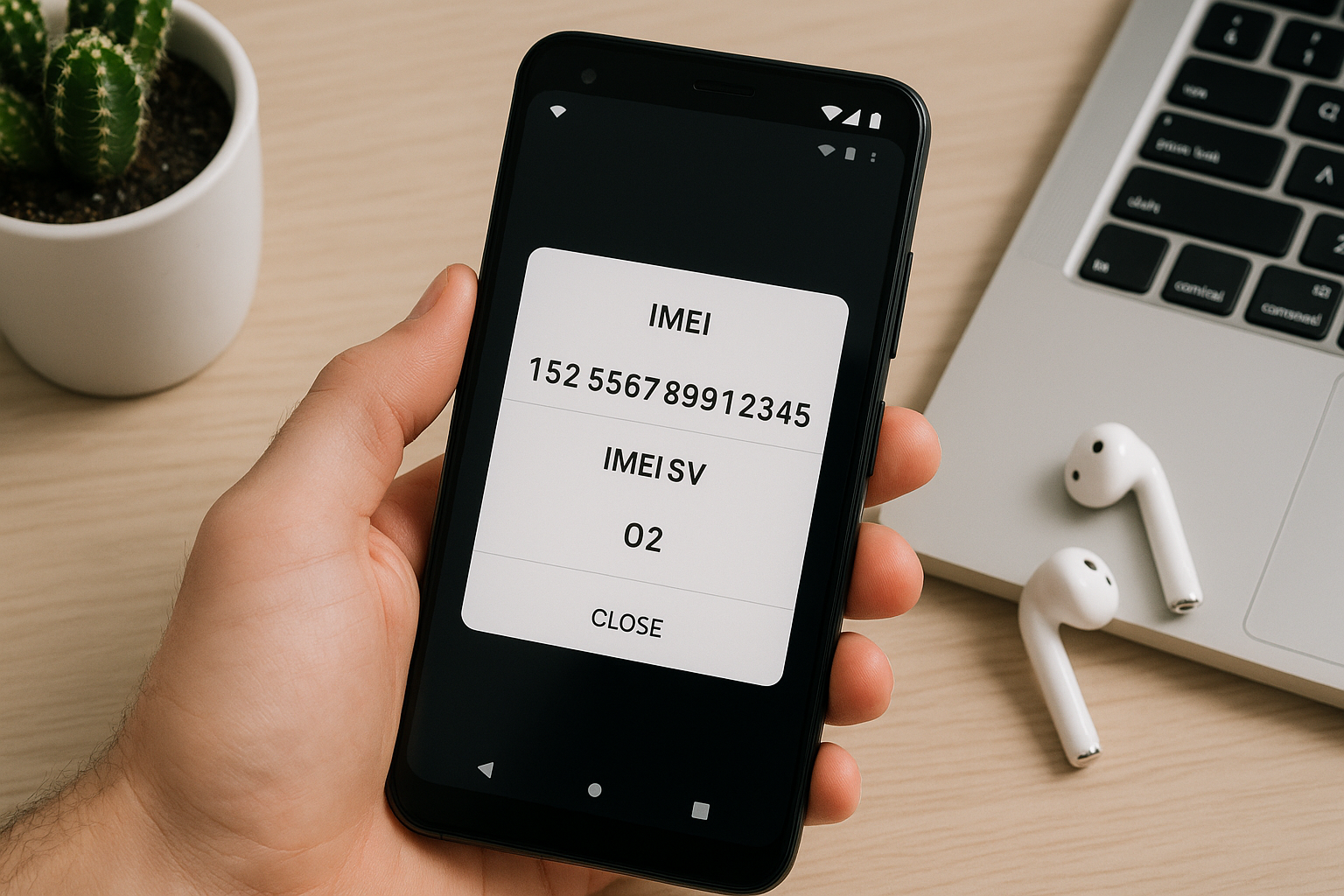
The fastest way to find your Android phone’s IMEI is to open the Phone app and dial *#06# — the IMEI (and IMEI2 for dual‑SIM) appears instantly on screen. You can also go to Settings > About phone (or Settings > About device) to see and copy it. If you don’t have the phone, check the barcode label on the original box, the SIM tray, your Google Account dashboard (myaccount.google.com/dashboard), or your carrier account page for the line using that phone.
What the IMEI Is and When You’ll Need It
IMEI (International Mobile Equipment Identity) is a unique 15‑digit number that identifies your device on cellular networks. Carriers use it to authorize network access and block stolen devices; manufacturers and service centers use it for warranty and repairs. You’ll need it to request an unlock, check carrier compatibility, or verify a used phone before buying. Many modern Android phones support two lines, so you’ll see two IMEIs: IMEI1 for SIM slot 1 (or eSIM profile 1) and IMEI2 for SIM slot 2.
Find It on Your Phone (Fastest Methods)
Dial *#06#
Open the Phone app and enter *#06#. You don’t need to press Call — a device info screen with your IMEI(s) pops up automatically. On dual‑SIM/eSIM models, you’ll usually see IMEI1, IMEI2, and sometimes an EID (the eSIM identifier). Long‑press to copy if the option appears, or take a screenshot for your records. If nothing shows, use the Settings path below.
Through Settings
Every Android build surfaces the IMEI in About phone. Path names vary by brand; these are reliable starting points:
- Most devices: Settings > About phone (or About device) > Status or IMEI > IMEI information.
- Samsung: Settings > About phone (IMEI appears on the main About screen; tap Status information for details and barcodes).
- Google Pixel: Settings > About phone > IMEI and SIM status for each physical SIM or eSIM.
- OnePlus: Settings > About device > Status > IMEI information.
- Xiaomi/Redmi/POCO: Settings > About phone > All specs (or Status) > IMEI.
- Motorola: Settings > About phone > Status > IMEI information.
From this screen, long‑press the number to copy, or use the copy icon if shown. Some builds also show a barcode you can scan at carrier stores or service counters.
Dual‑SIM and eSIM: Which IMEI to Use
Phones that support two lines have two distinct IMEIs. They’re labeled IMEI1 and IMEI2 and correspond to SIM slot 1 and SIM slot 2. On eSIM‑capable phones, an eSIM profile occupies one “slot,” so you might see an IMEI for the eSIM and another for the physical SIM. When your carrier asks for an IMEI, provide the one tied to the slot you’ll use on their network. You can confirm the mapping in Settings > Network & Internet (or Connections) > SIMs or SIM manager — each SIM entry shows its associated IMEI.
You may also see an EID (Embedded Identity Document). That’s the eSIM identifier and isn’t a substitute for the IMEI. Carriers sometimes need both: the EID to provision an eSIM and the IMEI for network registration.
If You Don’t Have the Phone
Check the box and printed labels
The original retail box usually has a white sticker with barcodes and the IMEI(s). Look for a 15‑digit number labeled IMEI, IMEI1/IMEI2, or sometimes “IMEI/MEID.” This is accepted by carriers, insurers, and service centers.
Look on the device body, SIM tray, or under the battery
Many phones print the IMEI on the SIM tray; remove it carefully and inspect both sides under good light. Older or repair‑friendly models may have the IMEI etched on the back cover or printed beneath a removable battery. If your device is water‑resistant, avoid disturbing seals.
Use your Google Account dashboard
If the phone was signed in to your Google account, you may be able to retrieve its IMEI:
- On a computer, visit myaccount.google.com/dashboard and sign in.
- Scroll to the Android section and expand it.
- Select your device to view details; many models list the IMEI (and serial number).
Availability varies by device and region. If you don’t see it, use your carrier portal or purchase records.
Check your carrier account
Log in to your carrier’s website or app and open the line that uses (or used) the phone. Most carriers list the device IMEI under “Device details,” “Manage device,” or “Equipment.” This remains available even if the phone is offline or lost.
Review receipts, invoices, and enterprise tools
Retailers often print the IMEI on the purchase receipt or invoice, especially for financed or carrier‑branded devices. For business‑managed phones, your MDM/EMM console (e.g., Intune, Workspace ONE, MobileIron) typically lists each device’s IMEI.
Method Comparison
| Method | Works if phone is lost/off? | Needs internet? | Shows both IMEIs? | Easy to copy? | Reliability |
|---|---|---|---|---|---|
| Dial *#06# | No (requires access to phone) | No | Yes (on dual‑SIM) | Usually | High |
| Settings > About phone | No (requires access to phone) | No | Yes | Yes | High |
| Box label | Yes | No | Yes (if dual‑SIM) | Manual entry | High |
| SIM tray/back cover | Yes | No | Often | Manual entry | High |
| Google Account dashboard | Yes | Yes | Sometimes | Copy/paste | Medium (varies by model/region) |
| Carrier account portal | Yes | Yes | Usually IMEI in use | Copy/paste | High |
| Receipt or invoice | Yes | No | Sometimes | Manual entry | High |
Tips to Save and Share Your IMEI Safely
- Store it securely. Save a note in a password manager, or keep a clear photo of the IMEI screen or box label in a protected folder.
- Don’t post it publicly. If you’re selling a phone, show only the last 4–6 digits in listings and share the full IMEI privately so buyers can verify blacklist and carrier status.
- Provide the right number. Carriers usually need the IMEI for the slot you’ll use; eSIM activations may also require the EID.
- Skip third‑party “IMEI apps.” The dialer code and Settings are accurate and built in.
- Use official tools for checks. For blacklist or warranty status, rely on your carrier or the manufacturer’s site.
- Back it up before travel. Keep the IMEI handy in case you need to report loss or request a SIM unlock away from the device.
Troubleshooting and Edge Cases
If *#06# doesn’t display anything, your dialer may block MMI/USSD codes or you might be using a VoIP app. Try the stock Phone app, then go to Settings > About phone. If you still can’t see an IMEI and your device is clearly a cellular model, check whether you’re running a non‑standard ROM or if the device was repaired improperly; “Unknown” or “Null” IMEI often points to firmware or hardware issues that need qualified service.
Wi‑Fi‑only devices (no cellular radio) don’t have an IMEI; they have a serial number instead. Some older phones show MEID in addition to or instead of IMEI; carriers that used CDMA technology historically referenced MEID, but modern LTE/5G networks expect the IMEI. A factory reset does not change your IMEI. If you buy a used phone, verify that the IMEI isn’t blacklisted and confirm it matches the box, the device’s Settings screen, and the seller’s records.
Frequently Asked Questions
Do Wi‑Fi‑only Android tablets have an IMEI?
No. Only devices with a cellular modem have an IMEI. Wi‑Fi‑only tablets and media players have a serial number (and MAC addresses), but no IMEI.
What’s the difference between IMEI, MEID, ICCID, and serial number?
IMEI is the global device identifier used by GSM/LTE/5G networks. MEID is a similar identifier from older CDMA networks; some devices show both. ICCID is the SIM card’s identifier, not the phone’s. A serial number is the manufacturer’s hardware ID used for warranty and support.
Is it safe to share my IMEI?
Share it only with trusted parties such as your carrier, the manufacturer, your insurer, or a verified buyer. Don’t post your full IMEI publicly. If you’re selling, provide only the last few digits in the listing and share the full number privately for blacklist and compatibility checks.
Why do I see two IMEIs, and which one should I give my carrier?
Dual‑SIM and eSIM‑capable phones have one IMEI per line. Give the IMEI associated with the SIM slot you plan to use. Confirm the mapping in Settings under SIMs or SIM manager; each SIM entry lists its corresponding IMEI.
Can the IMEI be changed?
No. The IMEI is tied to device hardware. Altering or obscuring it is illegal in many regions and can render the device unusable on networks. If your IMEI shows as “Unknown,” seek professional service.
What if my phone’s screen is broken or it won’t turn on?
Check the box label, SIM tray, your Google Account dashboard, or your carrier account for the line that used the phone. If the screen partially works, you can connect a mouse via USB‑OTG to unlock and navigate to Settings > About phone to view and copy the IMEI.
Does a factory reset change the IMEI?
No. Resets affect software and user data, not hardware identifiers. Your IMEI remains the same before and after a reset.